GETTING STARTED • UPDATED JAN 2025
How to Start Webcam Modelling in the UK: Step-by-Step Guide
Your complete roadmap to launching your webcam modelling career. From application to your first stream—everything you need to get started the right way.
Starting webcam modelling can feel overwhelming. There's so much conflicting advice online, and it's hard to know where to begin.
This guide cuts through the noise. Whether you're joining an agency like Blueberry Studios or going independent, we'll walk you through every single step of getting started—from application to your first successful stream.
Let's get you set up properly from day one.
Step 1: Application & Getting Accepted
Your webcam modelling journey starts with the application process. Here's what to expect:
Age & Legal Requirements
You must be 18 or older to work in the adult entertainment industry in the UK. No exceptions.
- Valid government-issued photo ID (passport, driver's license, or national ID card)
- Proof of age verification (you'll submit this during platform onboarding)
- Legal right to work in the UK (self-employed basis)
Agency vs Independent
You have two main options when starting out:
Joining an Agency (Recommended for Beginners)
Pros: Faster verification, professional guidance, content ideas, tech support, privacy tools, higher earnings potential
Cons: Referral fee (though at Blueberry, this doesn't come from your earnings)
Going Independent
Pros: Full control, no agency relationship
Cons: Slower approval, no guidance, figure everything out yourself, lower initial earnings
Most successful UK models recommend starting with an agency—especially if you're new. You can always go independent later once you've learned the ropes.
The Application Process (With Blueberry Studios)
- Fill out the application form — Basic info, preferences, availability
- Initial screening call — Quick chat to answer your questions and explain next steps
- ID verification — Submit documents securely (handled privately and GDPR-compliant)
- Platform setup — We register you on partner sites and fast-track your approval
- Training scheduled — One-on-one onboarding call to prepare you for your first stream
Timeline: Most applicants are approved and ready to stream within 24-72 hours with agency support.
Going solo? Expect 5-10 business days for platform approvals—and you'll still need to handle all the setup yourself.
Step 2: Age Verification & Platform Approval
Before you can stream, every cam site requires age verification. This protects both you and the platform.
What You'll Need
- Government-issued photo ID (passport or driver's license)
- A clear selfie holding your ID next to your face
- Sometimes: Proof of address or additional ID verification
How Verification Works
- You upload your ID and selfie to the platform's secure verification system
- The platform reviews your documents (manual human review + AI verification)
- Approval typically takes 24-48 hours (faster with agency support)
- You receive an email confirming your account is active and ready to stream
Privacy Note: Your ID is used solely for age verification. It's never displayed publicly, and reputable platforms are GDPR-compliant. Your real name stays private.
What If You're Denied?
Rare, but it happens. Common reasons include:
- Blurry photos or poor lighting on your ID
- ID photo doesn't match your selfie (different hairstyle, makeup, etc.)
- Expired documents
- Under 18 (automatic rejection)
If this happens, resubmit with clearer images. Agencies like Blueberry can help you get it right the first time so you don't waste days reapplying.
Need more details? Read our full guide: UK Age Verification Explained.
Step 3: Training & Onboarding
Once verified, you're legally allowed to stream—but that doesn't mean you're ready to stream.
This is where agency support makes the biggest difference.
What Training Covers (With an Agency)
- Platform walkthrough — Understanding your dashboard, chat features, tipping menus, private show buttons
- Privacy & safety setup — Geoblocking, VPNs, staying anonymous, handling difficult viewers
- Content strategy — What to say, how to engage, what works in free chat vs private shows
- Technical setup — Camera angles, lighting, audio checks, backdrop tips
- Goal setting — Realistic earnings expectations, streaming schedules, first-month milestones
- Payment setup — How payouts work, choosing the right withdrawal method for you
At Blueberry Studios, this is a one-on-one personalized session where we answer every question you have. No rushing, no judgment—just practical guidance to set you up for success.
Going Solo? Here's What You'll Need to Figure Out:
- How to navigate the platform (usually via video tutorials and help docs)
- What content performs well (trial and error)
- Privacy tools and geoblocking settings (research required)
- How to handle trolls, freeloaders, and difficult viewers
- Optimizing your camera, lighting, and audio setup
It's doable, but it takes longer to figure out—and many new models quit before they get the hang of it.
Step 4: Setting Up Your Streaming Space
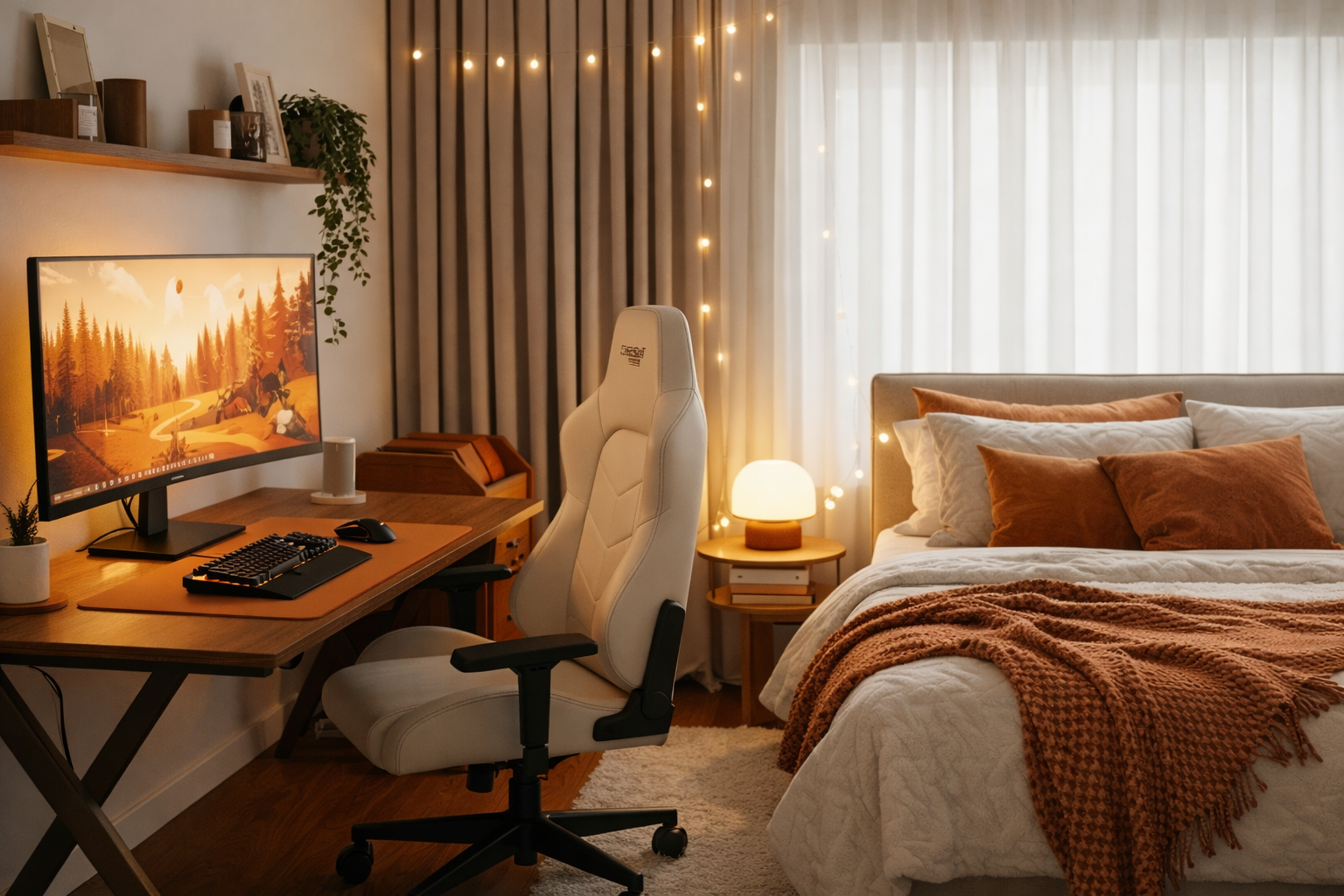
You don't need a professional studio to get started. Most successful UK models stream from their bedroom or spare room.
Minimum Equipment Checklist
| Item | Budget Option | Upgrade Option |
|---|---|---|
| Camera | Built-in laptop webcam | Logitech C920 (£60-£80) |
| Lighting | Natural window light + desk lamp | Ring light (£20-£40) |
| Audio | Laptop mic (adjust settings) | USB microphone (£30-£50) |
| Backdrop | Tidy wall or clean bedding | Fairy lights, posters, soft fabrics |
| Internet | Minimum 5 Mbps upload speed | 10+ Mbps for HD streaming |
Starting Budget: You can stream with £0 upfront if you already have a laptop and decent lighting. Most models reinvest their first week's earnings into better equipment.
Privacy & Safety Setup
- Choose a stage name — Never use your real name. Pick something memorable and unique.
- Set up geoblocking — Hide your streams from specific regions (your local area, where family lives, etc.)
- Remove identifying details — No personal photos, diplomas, mail, or anything with your real name visible in frame
- Use a VPN (optional) — Extra layer of privacy when logging into cam sites
Want a full equipment guide? Check out: How to Turn Your Bedroom Into a Studio.
Step 5: Your First Stream
This is it. You're verified, trained, set up—and ready to go live.
Here's what to expect (and how to make it smooth):
Before You Go Live
- Test your setup — Audio, video, lighting. Do a 5-minute test stream in "away" mode to see how you look.
- Set your tipping menu — Simple options: Flash (10 tokens), Topless (50 tokens), Private show pricing
- Write a bio — Short, playful, approachable. "New UK model, here to chat and have fun 💕"
- Choose an outfit — Something that makes you feel confident and comfortable
- Set a time goal — Aim for 2-3 hours for your first stream. You can always end early if needed.
What Happens During Your First Stream
First 30 minutes: Slow. You might only have 5-10 viewers. Don't panic—this is normal. Chat with anyone who enters, smile, and stay engaged.
After 30 minutes: The algorithm picks up and you'll start getting more traffic. Your room count grows. This is when tips start rolling in.
First tip = 🎉 celebrate! Thank them by name, make them feel special. This encourages others to tip too.
What to Talk About
New models often freeze up, unsure what to say. Here's a cheat sheet:
- "Hi! I'm [stage name], new here from the UK! How's everyone's day going?"
- Ask viewers where they're from
- Talk about your hobbies, weekend plans, favorite music
- Tease your tipping menu: "If we hit $100, I'll do a little dance 😘"
- Keep it lighthearted and fun—don't overthink it
Handling Difficult Viewers
Every stream has freeloaders and the occasional troll. Here's how to handle them:
- Ignore rude comments — Don't engage. Use the "silence" or "ban" feature.
- Set boundaries early — "I only do [X] in private shows, babe."
- Don't do anything for free — If someone asks for a freebie, playfully redirect: "That's on my tip menu! 💕"
With an agency, you have backup. If something feels off, message your support team mid-stream—they'll help you handle it.
Ending Your First Stream
After 2-3 hours, it's okay to wrap up. Thank everyone, say you'll be back tomorrow (or whenever), and log off.
First stream earnings? Expect anywhere from £20-£100 depending on how long you streamed and how engaging you were. It's a learning experience—don't stress about the number.
Your First Month: What to Expect
The first 30 days are all about consistency, learning, and building momentum.
Week 1: Getting Comfortable
- Stream 3-5 times (even just 2 hours each)
- Learn the platform features (tipping, privates, goals)
- Start recognizing returning usernames
- Goal: Get comfortable on camera and earn your first £200-£400
Week 2: Finding Your Rhythm
- Experiment with different times of day
- Try new outfits, angles, or themes
- Respond to what gets tips and engagement
- Goal: Build a small group of regulars and refine your approach
Week 3-4: Building Consistency
- Set a predictable streaming schedule
- Viewers return when they know you'll be online
- Start offering fan club memberships or exclusive content
- Goal: Hit your first £500-£1,000 month (part-time) or £1,500-£2,500 (full-time)
Pro Tip: Most models see a big jump in earnings around week 3-4 once they've found their groove and built a small loyal audience.
Want to know what your first week will really be like? Read: What to Expect From Your First Week as a Webcam Model.
Common Mistakes New Models Make (And How to Avoid Them)
1. Inconsistent Streaming Schedule
The problem: Streaming randomly makes it hard to build regulars.
The fix: Pick 2-3 set days/times each week and stick to them.
2. Doing Too Much for Free
The problem: Viewers expect freebies and never tip.
The fix: Set clear boundaries. Use your tip menu. Reward tippers, not freeloaders.
3. Quitting Too Early
The problem: Expecting huge earnings on day 1 and giving up when it's slow.
The fix: Give it a full month. Earnings grow as you improve and build an audience.
4. Bad Lighting or Audio
The problem: Viewers can't see or hear you properly.
The fix: Invest £20 in a ring light and test your audio before every stream.
5. Ignoring Privacy Tools
The problem: Not using geoblocking or privacy settings.
The fix: Set up geoblocking from day 1. Better safe than sorry.
Why Most Successful Models Start With an Agency
Here's the reality: going solo is hard. You're figuring everything out through trial and error, and there's no one to ask when things go wrong.
With an agency like Blueberry Studios, you get:
- Fast-tracked verification — Go live in 24-72 hours instead of 5-10 days
- 1-on-1 training — Learn exactly what works before your first stream
- Content ideas & feedback — Weekly check-ins to improve your performance
- Technical support — Issues with the platform? We handle it.
- Privacy tools & geoblocking setup — We walk you through every setting
- Earnings optimization — Tips on peak hours, pricing, upselling
- You keep 100% of your platform earnings — Our 5% comes from the platform, not you
Most models who start with an agency earn 20-40% more in their first three months compared to solo models—simply because they avoid the common beginner mistakes.
Ready to Get Started?
You now have the complete roadmap. From application to your first successful stream, you know exactly what to expect.
Here's what to do next:
- See realistic earnings expectations for UK models
- Learn how to protect your privacy while streaming
- Apply to Blueberry Studios for fast approval and full training
Start Your Journey With Blueberry Studios
Get approved in 24-72 hours, receive 1-on-1 training, and start earning with full agency support. Apply now.
Apply Now